Testing Instatic CMS and web builder
Well well… I must have spent enough time in a social media network searching for and consuming the same topic (web builder apps & content management systems) that I was finally chosen by the almighty YouTube algorithm to watch a video about something very new, and very interesting.
Instatic posted their first video, explaining their product and vision in 6 minutes.
Let’s be clear, it’s not production ready. Instatic is in pre-alpha stage. At time of writing it's at version 0.0.6. It's also open source so absolutely worth a trial.
Now I've installed it and had a play around, I can say that even at this early stage it's impressive. There are lots of features not yet implemented. There's really no point in talking about what's missing today, as the expected capabilities will all be built in good time.
Far more interesting is to talk about the features that already exist there. They make for a strong foundation indeed.
I've been using my custom built system of Notion as a CMS, and nextJS as my front end for years now. But it's not a system I'd build & hand over to a client. There are far too many ways to break it if you’re not careful.
Instatic has a CMS and front end builder as core parts of its system, so there's little need to leave the safety of its UI.
I've been testing it out by rebuilding my own website using their tech, and it's been a fun exercise.
I can see this being useful for all types of users. Here's my take on what features may resonate:
Instatic for web designers
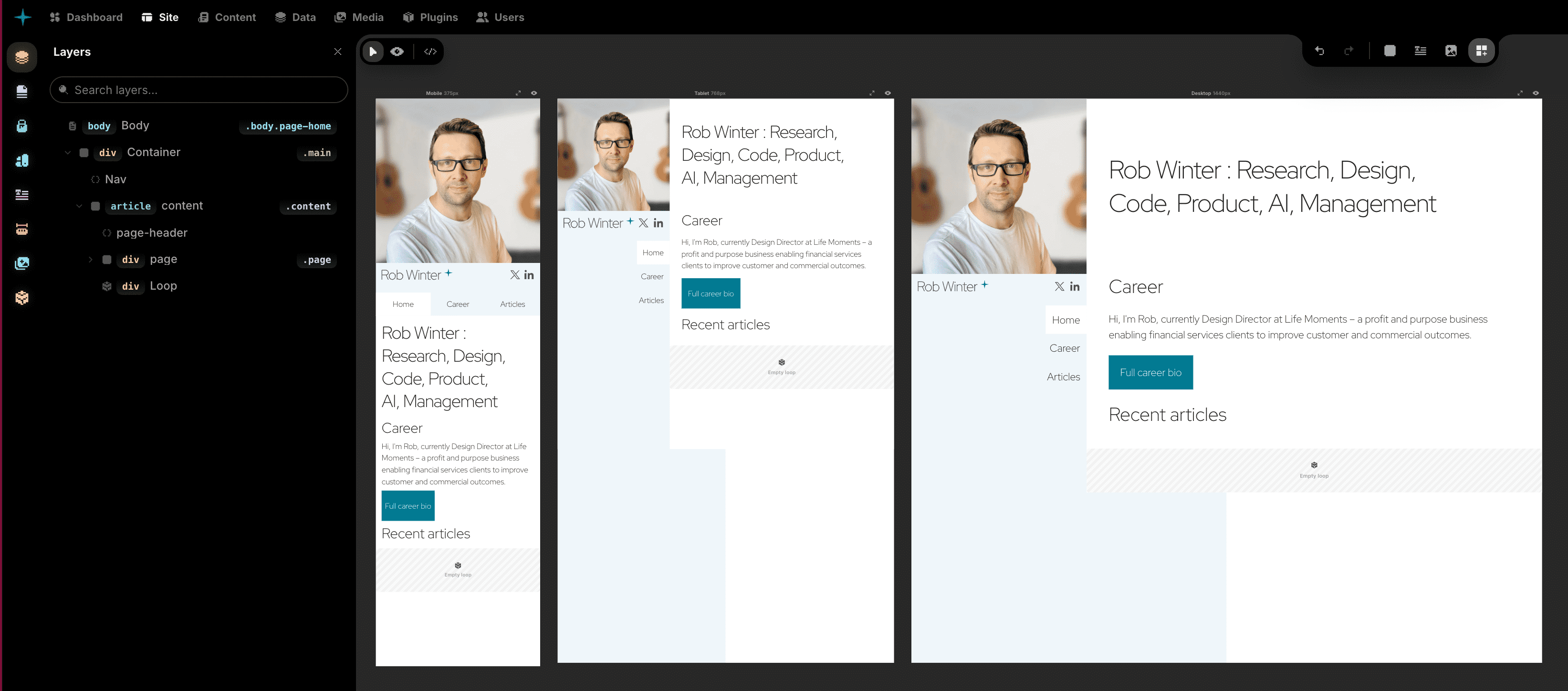
Centre stage is the canvas. Familiar to any designer who has used Framer will intuitively understand how to put elements onto the page, and create overrides at different breakpoints.
Setting up the basics of a design system has some interesting features. Add a single colour and it will immediately generate multiple shades, tints, & transparencies etc. for use in your styling properties. The same method works with typography and spacing scales. It's fast to set up, and editable thereafter.
It has a reusable component system like React, and Figma (which is itself a React web app). This is a wonderful way of organising the building blocks of an interface, and of course to work in a DRY (Don't Repeat Yourself) methodology. Change a component at its core, and the updates ripple through every instance in the website.
The media browser comes with filters to organise & find files.
Instatic for web developers
As a web developer myself, I'm interested in building performant front ends. Instatic takes data from its database backend and compiles it into a static website on the front end. This makes page loads lightweight and fast.
It isn't a React site builder. But React could be chosen to run parts of your pages if you so wish. In fact any JS framework could be chosen, which is remarkably flexible for a website builder.
I really like the class-based styling system. It's fast, intuitive, and has a sidebar view dedicated to selectors that aren't tied to a specific element. You can write your own in there as if it were a CSS file and then apply styling properties using the right-hand sidebar.
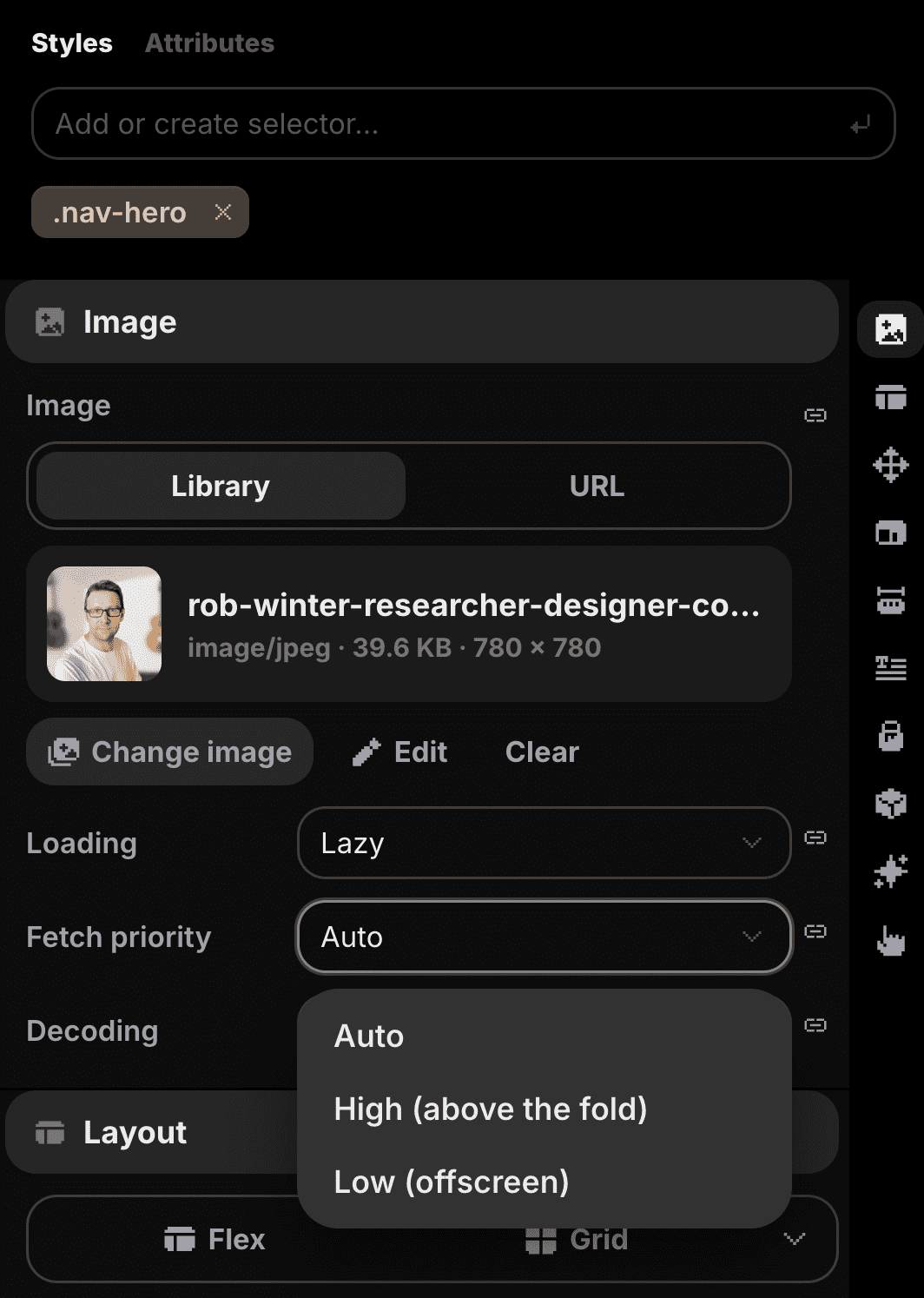
It deals with images well, offering lazy loading & fetch priority, both speaking to the focus on performance from this product.
When it gets even more complex you can set up as many CSS files as you need to organise custom code. I've found this useful for adding custom media queries, dark mode, view transitions, and other such deeper mechanics of the CSS language.
Instatic for freelancers
User roles are already well organised, with options to set yourself as the admin of the site, yet lock down specific for your client so they can edit the content, but not necessarily the more technical aspects.
A client may tell you they like a certain web page they've seen online. This is great news if you want to build a site based on that design. Download that page from the web and import it so it's ready for editing inside Instatic's UI. In fact, you can import an entire HTML website and Instatic will automatically rebuild it using all the CSS variables, components and templates needed to work with their editing UI natively.
Plus, of course, there's an AI builder assistant. Bring your own key they say, which for me is the right way to approach this. I have my Claude subscription already so I don't want to shell out again just because it's inside another tool. Better yet, your client could plug their AI key in too, and make more use of this tool than they'd expect.
Instatic for site owners
I write this post in the Instatic's content editor, and have found it a very comfortable experience. Given that I'm used to writing in Notion - a far more mature app - it's generally got the right vibe for getting ideas out quickly.
Right now I'm writing in the content editor, where every heading, paragraph, quote etc. is styled as per the Instatic UI. But there's also a 'live mode' editor, where words can be written directly into a page styled as per the actual website. Writing in context like this is important to understand the visual impact those words can have when users arrive on the site.
Save as a draft, scheduled publishing, and instant publishing is all there and is lightning fast.
Check it out for yourself
Watch the video, install it on your local machine, build something, you'll likely see the power this product has the potential to grow into.

About the author
Hi, I'm Rob
I make digital products that help improve people's lives.
After working my way up to the top of the design function in my earlier years, I began a broader role with a new startup - Life Moments - in 2018.
I've been a pivotal force in shaping and operating the business from its inception to profitability and beyond.
Find out more about my career.